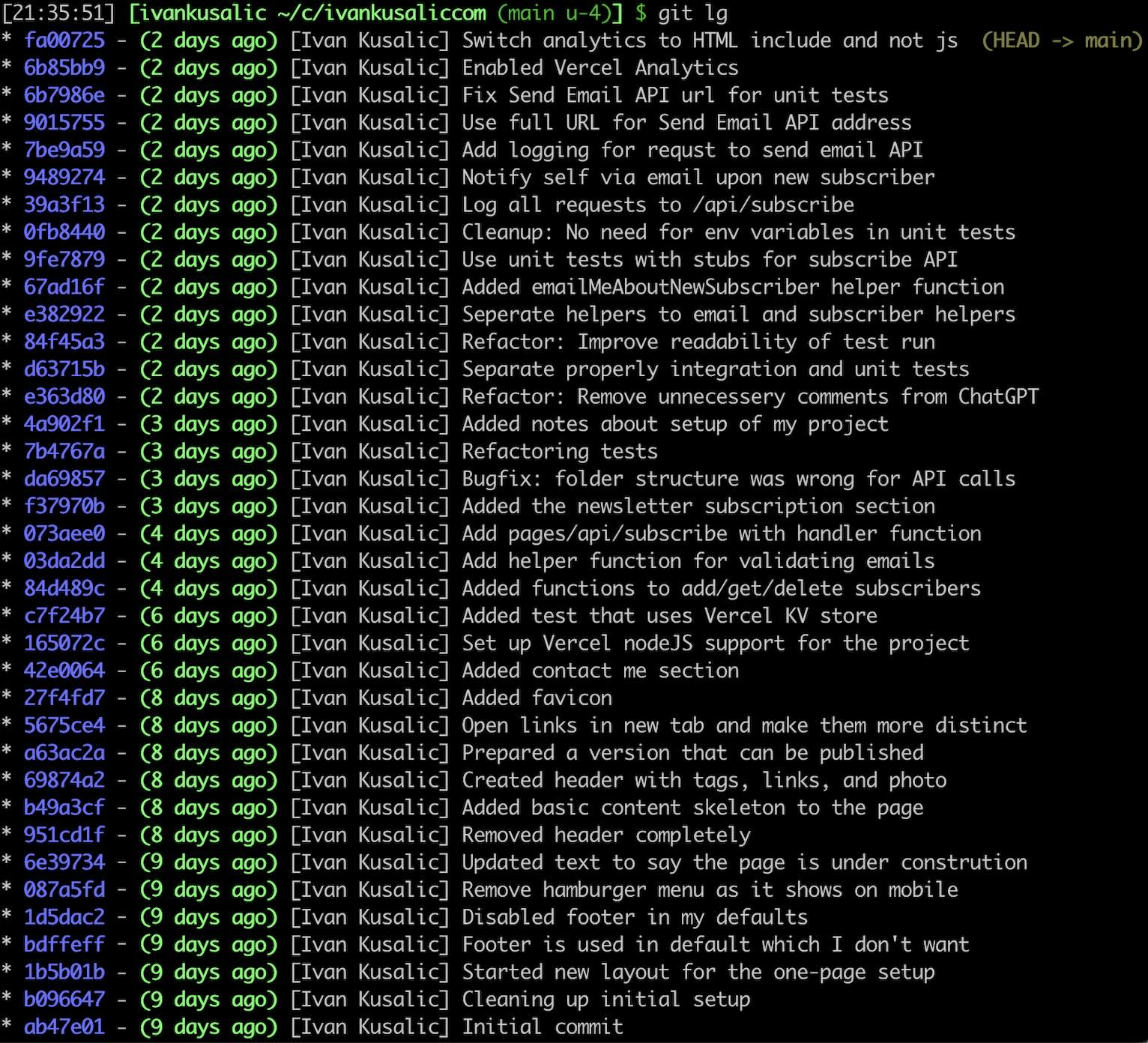
<?xml version="1.0" encoding="utf-8"?><feed xmlns="http://www.w3.org/2005/Atom" ><generator uri="https://jekyllrb.com/" version="4.3.4">Jekyll</generator><link href="/feed.xml" rel="self" type="application/atom+xml" /><link href="/" rel="alternate" type="text/html" /><updated>2026-05-14T16:54:44+00:00</updated><id>/feed.xml</id><title type="html">Ivan Kusalic</title><entry><title type="html">Software Engineering Is a Joke (Three of Them, Actually)</title><link href="/software-engineering-ironies/" rel="alternate" type="text/html" title="Software Engineering Is a Joke (Three of Them, Actually)" /><published>2026-02-18T00:00:00+00:00</published><updated>2026-02-18T00:00:00+00:00</updated><id>/software-engineering-ironies</id><content type="html" xml:base="/software-engineering-ironies/"><![CDATA[<p><em>“There is a theory that if anyone discovers exactly why the Universe is here,
it will instantly be replaced by something even more bizarre and inexplicable.
Another theory states this has already happened.”</em> - Douglas Adams</p>

<p>What follows are three, deeply exaggerated, jokes the Universe played on
software developers.</p>

<h2 id="the-collaborative-function">The collaborative function</h2>

<p>What department comes to mind when you think about collaboration?
Sales? Marketing? HR?</p>

<p>How about Tech?</p>

<p>Seriously. Sales vs Software Engineering?</p>

<p>Sales: Flashy onboarding events overflowing with enthusiasm.
Maybe a pencil or three sold along the way. And then… Individual performance
targets, assigned leads or territories, private conversations with prospects.
And a monthly sync or two.</p>

<p>Engineering: Awkward smiles over coffee machine. Complaining about the
interruptions and constant context switching. Debates about working from home
or going to the office. Introverts comparing energy drains.</p>

<p>Also: Daily standups, three different team meetings, project kickoffs,
architectural reviews, requirement alignments, and code reviews. So - many -
code - reviews.</p>

<h2 id="the-analytical-ambiguity">The analytical ambiguity</h2>

<p>Two marketers talk over matcha lattes, a vibrant, dazzling explosion of
imprecise vibes.</p>

<p>Of course software dev.. engineering! is nothing like that. Engineering is
analytical. Precise! Ok, there’s always that one blasphemous weirdo who
thinks of software as an Art. But alas, it’s all about optimizations,
algorithms, and computer science. Science! And Engineering. It’s right there in
the name!</p>

<p>And measurable KPIs? Measurable… Well, maybe?</p>

<p>But don’t you try to measure engineering productivity. No lines of code, no
LoC removed, and for the love of all that we hold dear, no story points.</p>

<p>At least we can always agree on what is the best solution to any given problem.
Like in architectural discussions.</p>

<p>The supposedly precise discipline where nothing can be quantified.</p>

<h2 id="engineer-the-business-specialist">Engineer, the business specialist</h2>

<p>I’m walking to get my coffee - just an espresso, thank you very much -
and it’s hard not to overhear those two BizDevs talking about how detached
engineers are from the business. Just terrible, engineers never seem to care
about business! No expertise nor interest. Just doing engineering for
engineering’s sake!</p>

<p>Except tech debt is a business continuity concern?</p>

<p>And of course developers don’t know how business processes work. Except they
build the workflows that execute them? To the level of detail that stops with
individual 0s or 1s? Hm.</p>

<p>And so the humble engineer turns out to be the ultimate business specialist.</p>

<h2 id="here-comes-ai">Here comes AI</h2>

<p>I can hear you already, muttering please don’t go there. But one for the road.</p>

<p>So there is this <a href="/realistic-DevAI">DevAI</a> thing. And it’s very useful in
software development. We just need to figure out how to <a href="/AI-adoption">embed it into our
organisations</a>.</p>

<p>And it.. removes the coding part, so that developers can do more talking with
customers or debating architecture? And despite trillions of dollars, we still
can’t measure the value it creates? While engineers are competing to unlock
business value faster?</p>

<p>Turns out that blasphemous weirdo was right all along.<br />
<em>“Life imitates Art far more than Art imitates Life.”</em></p>]]></content><author><name></name></author><summary type="html"><![CDATA[“There is a theory that if anyone discovers exactly why the Universe is here, it will instantly be replaced by something even more bizarre and inexplicable. Another theory states this has already happened.” - Douglas Adams]]></summary></entry><entry><title type="html">DevAI: Beyond Hype and Denial</title><link href="/realistic-DevAI/" rel="alternate" type="text/html" title="DevAI: Beyond Hype and Denial" /><published>2025-10-30T00:00:00+00:00</published><updated>2025-10-30T00:00:00+00:00</updated><id>/realistic-DevAI</id><content type="html" xml:base="/realistic-DevAI/"><![CDATA[<p><em>“I know I can make my engineers 10x more productive with AI.”</em> A non-technical
CEO, confident they’ve solved what millions of experts haven’t.</p>

<p><em>“AI doesn’t matter, I tried it a year ago and it made silly mistakes.”</em> A
principal engineer, right before burying their head in the sand.</p>

<p>Two camps. Same conversation, different company, every week. Both sides
convinced they’re right. Both ignoring what’s actually happening.</p>

<p>I’ve spent the last few hundred hours coding with AI. After my <a href="/executive-coder-experiment">Executive-Coder
Experiment</a>, I kept going: more complex systems,
harder problems. As CTPO leading a 300-person engineering department, I’ve also
been <a href="/AI-adoption">driving AI adoption</a> at scale.</p>

<p>Here is what I’ve learned about where AI helps, where it fails, and why both
camps are missing the point.</p>

<h2 id="the-bottom-line">The Bottom Line</h2>

<p><strong>AI makes engineers dramatically more productive at generating code—but code
is a liability, not an asset.</strong> The productivity gains in raw code output are
real. So is the faster path to unmaintainable systems.</p>

<p>Business shouldn’t expect 10x productivity gains in value output. Instead,
expect faster prototyping, compressed timelines, and the need for stronger
engineering discipline.</p>

<p>The engineers who will thrive are those who understand when to use AI to sprint
and when to slow down and think. AI amplifies everything—your good practices
and your bad ones. Requirements, software quality, and modularization matter
more than ever.</p>

<p>That’s the conclusion, let’s explore why.</p>

<h2 id="the-assembly-line-problem">The Assembly Line Problem</h2>

<p><strong>The core misconception: confusing code output with business value.</strong></p>

<p>It’s easy to think about software development as coding. Writing code is what
engineers love and what business thinks we do all day. However, there’s more to
developing software products.</p>

<p>There’s the full <em>Software Development Life Cycle (SDLC)</em>: requirements,
planning, design, implementation, verification, deployment, operations.  You
can deliberately skip some of these when building a prototype or MVP. But once
real customers rely on your product, all these stages become essential.</p>

<p><em>GenAI</em> used by developers—<em>DevAI</em>—helps us produce more code. So it is rather
unfortunate that we have all those other activities where AI doesn’t help as
much.</p>

<p>Picture software delivery as an assembly line. AI just supercharged one
station—coding—so it pumps out 10x more components. Sounds great, right?</p>

<p>Except the assembly line doesn’t work that way. Components pile up at the next
stations: verification, deployment, operations. Meanwhile, the coding
station sits idle waiting for requirements and design decisions from upstream.
As the line moves at the speed of its slowest station, <strong>value generation is
bottlenecked by other SDLC stages.</strong></p>

<p>Some voices yell about 10x or 100x more productivity. And there might be some
truth to it, an engineer indeed can now produce 10x more code. But without
significant improvement in value for the customers, this is a vanity metric.</p>

<p>I’ve trashed a 20000-line project after vibe-coding with AI—and started from
scratch. Haven’t seen many people share such experiences. Turns out <em>“LOC
deleted”</em> isn’t the flex metric people want to hear about.</p>

<p>Others retort cynically that there is no improvement, and that AI is destroying
the industry. And there is a kernel truth here. If we just produce more code
while ignoring other activities, the codebase rots and quickly delivers
negative economic value.</p>

<p>Software creates value only when customers use it.</p>

<h2 id="the-complexity-tax">The Complexity Tax</h2>

<p>One of our strongest engineers worked on a new project for 9 months. He’d been
using DevAI for years with advanced tooling and AI-adjusted workflow. Early on
in the project, he was unbelievably productive.</p>

<p>But as time progressed, that slowed. Six months in, he didn’t know what was
implemented where. Adding new features felt like crawling rather than
sprinting. When an opportunity came to join a new project, he jumped on it
without looking back.</p>

<p><strong>DevAI compresses timelines.</strong></p>

<p>Every codebase follows the same arc: from greenfield to legacy. Meet the holy
grail of the <em>greenfield</em> project and the depression-inducing <em>legacy</em>
codebase.</p>

<p>We have:</p>
<ol>
  <li><strong>Greenfield</strong>: A clean new codebase focused on rapid development and
experimentation with minimal constraints or technical debt.</li>
  <li><strong>Maturing</strong>: A growing system where features are still actively added but
development slows as stability and maintainability become priorities.</li>
  <li><strong>Legacy</strong>: An aging codebase with looming issues and complexity,
where changes are risky and often avoided without significant refactoring.</li>
</ol>

<p>Here’s why the two camps disagree: The 100x productivity people are often
working on greenfield projects. They’re in the honeymoon stage. The codebase is
simple, clean, and AI does a great job adding another 5000 lines of code while
they sip their favorite warm beverage.</p>

<p>That same engineer told me with a straight face that he was 60x-120x more
productive with AI. Until he wasn’t.</p>

<p>Codebases inevitably become legacy. Adding new features becomes exponentially
harder. Skeptics have lived in legacy systems, where stress levels are off the
charts as even minor changes might trigger production outages.</p>

<p>Who’s right? Both. And neither.</p>

<p>Adding new features adds complexity. Changes are rarely done with time to
spare, so cut corners accumulate. Productivity drops. <strong>With DevAI, we’re
blasting from greenfield to legacy at breakneck pace.</strong></p>

<p>This accelerated decay isn’t just about volume—it’s also about the quality of
what AI generates.</p>

<h2 id="the-quality-problem">The Quality Problem</h2>

<p>I asked AI to handle HTTP redirects. When it couldn’t fix the bug, it spawned a
separate process to shell out to curl instead. This turned a simple HTTP client
bug into a security hazard with external dependencies and fragile process
management. Just lovely.</p>

<p><strong>AI code generation comes with major quality challenges.</strong> I think of it as
having a <em>scatterbrained senior engineer</em> with:</p>
<ul>
  <li><strong>Lack of Stability</strong> - AI generates varying solutions on different runs.
It’s random whether you get a better or worse solution.</li>
  <li><strong>Lack of Intent</strong> - AI does whatever you instruct it to do, without
analyzing tradeoffs or asking for more context.</li>
  <li><strong>Sycophant Behavior</strong> - AI prioritizes your mood towards it over
correctness. It reaffirms your bad choices and flatters you.</li>
  <li><strong>Inherently Average</strong> - LLMs are trained on both high- and low-quality code.
The output is average.</li>
</ul>

<p>When we use GenAI directly in customer-facing features, we write tests and
evals to validate quality. Unfortunately, there’s no equivalent when using
DevAI. Code is generated once, and it’s a roll of the dice whether you got
simple or complex code, security-conscious or vulnerable, performant or
inefficient.</p>

<p>Some are impressed with AI-generated code quality. Others are dismayed.</p>

<p><strong>Developers with limited experience are often the most impressed.</strong> They lack
the pattern recognition to spot subtle problems: tight coupling, poor
separation of concerns, security gaps. AI output looks clean and works, so it
must be good.</p>

<p>Experienced engineers have a more nuanced view. They know not all code is
created equal. Some parts of a codebase should be optimized obsessively; others
just need to work. Great engineers are happy to use average code when it fits
the purpose. And they can recognize when it doesn’t.</p>

<p>Like the curl workaround, these problems share a pattern:</p>
<ul>
  <li><em>APNs architecture disaster.</em> AI insisted Expo mobile apps couldn’t access
APNs credentials directly and insisted I route notifications through a
third-party service. Weeks later, I discovered AI was wrong, direct access
worked fine. We’d built an entire unnecessary infrastructure layer. More
expensive, less secure, less performant. Because AI hallucinated a
constraint.</li>
  <li><em>Test deletion.</em> AI couldn’t fix failing unit tests after several attempts.
Solution? Delete all the failing tests. And many unrelated passing tests as
a bonus. Issue resolved!</li>
</ul>

<p><strong>AI optimizes for making issues disappear, not for solving problems
correctly.</strong> Working with DevAI means constantly catching these bad decisions:
wrong abstractions, unnecessary complexity, security vulnerabilities hidden
behind working demos. Miss them and they compound. Fast.</p>

<h2 id="the-knowledge-deficit">The Knowledge Deficit</h2>

<p>Last month, I discovered a beautiful command-pattern abstraction in my
codebase. Perfect separation of concerns. Elegant middleware. The kind of code
you’d show off in a conference talk. I stared at it for ten minutes, trying to
remember why it existed.</p>

<p>Then it hit me: it didn’t need to. The entire abstraction—hundreds of lines of
gorgeous, over-engineered code—solved a problem that didn’t exist. I had
spent hours implementing it with AI just weeks earlier. Now I couldn’t even
remember what we were trying to address.</p>

<p>Ugh. Delete. Commit. Push. A week of “productivity” gone.</p>

<p>The old engineering proverb goes: “Always code as if the person maintaining
your code is a vengeful maniac who knows where you live.” We laugh because it’s
true: that maniac is usually future-you. Three months later, staring at your
own clever code with no memory of writing it.</p>

<p>With DevAI, that maniac arrives much faster. And angrier. That code you barely
understood when AI generated it? Good luck debugging it next week. That clever
abstraction AI added? You’ll curse past-you, and the AI, when it breaks
production at 2 AM.</p>

<p><strong>When AI writes the code, engineers don’t build mental models of the
codebase.</strong> We don’t make micro decisions like naming variables or choosing
between library functions. We don’t spend time optimizing code in our heads.
Writing 100 lines versus 2000 lines is the difference between carefully reading
a book and skimming it.</p>

<p>Not a big deal in a new greenfield project—there’s just not much there yet. But
once the codebase grows, the difference becomes drastic. We remember less about
what abstractions exist and where. Debugging becomes harder. Reuse drops and
duplication skyrockets.</p>

<h2 id="the-sweet-spots">The Sweet Spots</h2>

<p>Not everything is doom and gloom. With the right problems, DevAI’s speed
translates to business value.</p>

<p>Despite limited frontend experience, I built a polished calendar flow managing
multiple calendars in under a day. 1500 lines of React code that I barely
understood when writing. Months later? Still working. Still expanding it. No
catastrophic rewrites required. Bonus points: I don’t dread UI work anymore.</p>

<p><strong>Simple frontend development is where DevAI shines.</strong> The UI provides
immediate visual feedback, making it easier to spot problems and guide AI. Many
frameworks enforce structure through conventions, giving AI natural guardrails.</p>

<p><strong>Integrations are another sweet spot.</strong> Connecting to external services
requires mapping data models to API responses. AI digests third party docs
faster than we ever could, and excels at simple data transformations.</p>

<p>My calendar system connects with multiple providers via CalDAV and iCal—ugly
protocol and data format I wasn’t familiar with. With DevAI, I completed the
integration in just a few hours. Manually, it would’ve taken considerably
longer, plus a pack of painkillers.</p>

<p><strong>Given clear structure and immediate feedback loops, DevAI delivers.</strong>
Building a calendar UI? Great. Designing your custom billing system? Good luck.</p>

<h2 id="matching-tools-to-tasks">Matching Tools to Tasks</h2>

<p>DevAI provides a powerful new toolbox. But you wouldn’t use a hammer to cut
down a tree. You shouldn’t let AI generate code unsupervised for the most
critical parts of your application either.</p>

<p>You have plenty of options along a spectrum:</p>
<ul>
  <li><strong>Hand-written</strong> - Critical auth logic, core algorithms</li>
  <li><strong>Hand-written, AI improved</strong> - Complex business logic</li>
  <li><strong>AI-written, manually edited</strong> - Feature scaffolding, API endpoints</li>
  <li><strong>AI-written, human-reviewed</strong> - Standard CRUD operations</li>
  <li><strong>AI-generated, AI-tested</strong> - Utility functions, simple data transformations</li>
  <li><strong>AI-generated only</strong> - Throwaway prototypes, spike investigations</li>
</ul>

<p><strong>Prototyping is where DevAI truly shines.</strong> Using AI to quickly gather
insights and build new prototypes is excellent. Just don’t fall in love with
the result and confuse it for a production-ready system.</p>

<p>Speeding toward legacy can be exactly what you need.</p>

<p><strong>For startups chasing product-market fit, fast legacy might be perfect.</strong> You
need to validate assumptions, win first customers, close your next funding
round. A legacy system that proves PMF is a massive win—regardless if you throw
away the code later.</p>

<p>Be deliberate about the choice. Use DevAI to sprint when speed matters more
than sustainability. Just don’t pretend you’re building for the long term when
you’re not.</p>

<h2 id="what-actually-works">What Actually Works</h2>

<p><strong>Start with clear requirements.</strong> The better you can instruct AI on what to
build, the more useful the generated code will be. Since DevAI produces more
code faster, I invest proportionally more time in requirements. I learned this
the hard way—working on a mobile app, I let AI create a 10000-line monster to
manage notification delivery. By the end, I didn’t know what features it was
supposed to have. Twenty hours wasted. With a sigh: <em>git revert</em>.</p>

<p><strong>Design before you code.</strong> I iterate on a dedicated design document until I
know precisely what I want to build. Then I work with AI on an implementation
plan covering the full SDLC. Only then do I implement. Building a task
management subsystem, I clarified data flow, chose storage, even wrote an
Architecture Decision Record (ADR)—but I wasn’t precise about data modeling.
Hours of rework followed.</p>

<p><strong>Focus obsessively on modularization.</strong> Domain boundaries should be crystal
clear. Without strong boundaries, AI creates a tangled mess faster than you can
untangle it. I built a feature across backend and mobile with steps that were
too large. I left validation for the end—surprise, the pieces didn’t fit. Had
to extract common parts and rework both.</p>

<p><strong>Hire experienced engineers who can guide AI.</strong> They know when to override bad
suggestions, when to demand better abstractions, when to write code by hand.
They help less experienced engineers make better design decisions. Mercifully,
this one spared me the war stories.</p>

<h2 id="beyond-hype-and-denial">Beyond Hype and Denial</h2>

<p>Sustainable business value won’t come from engineers who dismiss AI or embrace
it blindly. It will come from those who understand tradeoffs and use AI
strategically.</p>

<p>AI is a force multiplier.</p>

<p>What are you multiplying?</p>]]></content><author><name></name></author><summary type="html"><![CDATA[“I know I can make my engineers 10x more productive with AI.” A non-technical CEO, confident they’ve solved what millions of experts haven’t.]]></summary></entry><entry><title type="html">The Delegation Paradox: How to Let Go Without Losing Control</title><link href="/delegation-paradox/" rel="alternate" type="text/html" title="The Delegation Paradox: How to Let Go Without Losing Control" /><published>2025-08-24T00:00:00+00:00</published><updated>2025-08-24T00:00:00+00:00</updated><id>/delegation-paradox</id><content type="html" xml:base="/delegation-paradox/"><![CDATA[<p><em>“How do you avoid misalignment without micro-management?”</em>, asked a CTO in
a mentoring session.</p>

<p>I paused. This question perfectly captures the delegation paradox every leader faces:
how to let go without losing control.</p>

<p>Your delegation skills shape your effectiveness as a leader. Great leaders not
only get more done by delegating, they help others grow! Without burning the
midnight oil themselves. Let’s dig into the mechanics of productive delegation.</p>

<h2 id="delegation-approaches">Delegation approaches</h2>

<p>Let’s consider two different delegation approaches:</p>
<ul>
  <li>Delegating problem-solving: <strong>You delegate the whole topic</strong>, you set up the
context and outcome expectations, the other person handles everything else.
They decide how to break down the problem into manageable pieces, they make
the plan, and they execute on it. You’re delegating away all of the ambiguity.</li>
  <li>Delegating execution: <strong>You delegate only the tasks</strong>. You make and
own the plan and the breakdown to pieces. You are responsible to make it all
come together, you manage the project and update the plan if needed. The
other person only does what you tell them to do. You are addressing all of
the ambiguity yourself, they execute under your instruction.</li>
</ul>

<p>Consider an example when delegating improvements to a deployment process:</p>
<ul>
  <li>Problem-solving: <em>“Please reduce duration of our deployment process by 50%”</em>.</li>
  <li>Execution: <em>“Please implement this specific CI/CD pipeline configuration I’ve designed”</em>.</li>
</ul>

<p>The two approaches define a spectrum: on one end you set the expectations and
delegate both planning and execution, while on the other end you tell them how
and what exactly to execute. And in-between are all the messy mixes where you
both work on the plan.</p>

<p>Another way to think about it is that you always delegate fully, but
in the case of delegating execution, you’re actually delegating smaller
pieces within the whole that you care about. The other person still needs to
plan and deal with ambiguity, but now it happens at a lower level, when
deciding how to execute smaller steps in your bigger plan.</p>

<h2 id="micro-management">Micro-management</h2>

<p>Effective delegation requires steering clear of micro-management.</p>

<p><em>Micro-management</em> happens when a person <em>must execute according to your
preferences</em>, according to your plan, even when they could get good enough
outcome with their own preferred way.</p>

<p>When delegating fully, you’re making the other person responsible. <strong>Being
responsible literally means being able to respond</strong>. Making someone accountable
for outcome without giving them agency is micro-management.</p>

<p>In our deployment example: if you delegate reducing deployment time
but insist they use your specific parallelization approach when they’ve
identified a better caching strategy, you’re micro-managing. The outcome
matters, not whose solution gets implemented.</p>

<h2 id="context-setting">Context-setting</h2>

<p>You’ll also want to set up for success the person you’re delegating to.
Missing context often leads to failure in execution.</p>

<h4 id="set-clear-expectations">Set clear expectations</h4>

<p>Clear expectations help the other person deliver what you’re looking for.</p>

<p>You want to have shared understanding of how success looks like:</p>
<ul>
  <li>What is the scope of the problem to be solved?</li>
  <li>What quality of outcome is required? Should the solution be optimal or merely good enough?</li>
  <li>Are there some non-obvious guardrails you’d like them to respect?</li>
</ul>

<p>Consider
<a href="https://en.wikipedia.org/wiki/Project_management_triangle" target="_blank">project management triangle</a>
when setting expectations. Is there shared understanding of scope, timeline,
resources, and quality?</p>

<p>Going back to our example when delegating deployment improvements, expectation
setting could consist of:</p>
<ul>
  <li>Goal: Reduce deployment time by 50% within Q2.</li>
  <li>Scope: Focus on CI/CD pipeline, not the infrastructure.</li>
  <li>Quality: Must maintain existing success rate.</li>
  <li>Guardrails: Weekly sync on Fridays, escalate blockers immediately.</li>
</ul>

<h4 id="anchor-delegation-in-reality">Anchor delegation in reality</h4>

<p>Keep your delegation realistic to enable good outcomes. None of us have
infinite resources or perfectly capable team members.</p>

<p>Consider the person you’re delegating to:</p>
<ul>
  <li>Do they have the right skills and competences?</li>
  <li>Have they solved comparable problems in the past?</li>
  <li>Are you delegating towards their strengths or weaknesses?</li>
</ul>

<p>I find that <a href="https://en.wikipedia.org/wiki/Situational_leadership_theory" target="_blank">situational leadership</a>
helps. Is the person willing and able to solve the problem?</p>

<h4 id="share-wider-context">Share wider context</h4>

<p>Whatever the problem you’re trying to solve, it is embedded in a wider context.
Share:</p>
<ul>
  <li>Why is the problem worth solving?</li>
  <li>How might the desired outcome be used?</li>
</ul>

<p>When getting to outcome takes time, you also want to ensure that the person will
be able to deal with changes in the context and that they’ll be able to adapt
their plan. There aren’t many things that are as demotivating as someone doing
their best, only to find that their work isn’t useful anymore.</p>

<h4 id="implicit-vs-explicit-context">Implicit vs explicit context</h4>

<p>Establishing shared context doesn’t need to take hard work. A lot of it can
be implicitly understood between you and the person you’re delegating to.</p>

<p>When you’re working longer with someone, you become more predictable in
your expectations, style of communication, and ways of working.</p>

<p>Watch out for assuming shared context when it’s not there. Things go wrong
when “obvious” or “common sense” are not that obvious nor common. A bit of
over-communication can go a long way to mitigate risks.</p>

<p>However, context-setting is only half the equation.</p>

<h2 id="you-yourself">You yourself?</h2>

<p>Remember that success doesn’t depend only on the person you’ve delegated to,
but on your behavior as well.</p>

<p><strong>Be predictable</strong>. After setting context, keep doing your part throughout
execution. By following up as expected. By being available when needed.
Some of the common failure modes I’ve seen (and I’ve been guilty of most myself):</p>
<ul>
  <li>The <em>fire and forget</em>: Dumping the topic and then disappearing.</li>
  <li>The <em>rubber band</em>: Delegating broadly but then over-managing.</li>
  <li>The <em>helicopter</em>: Delegating and then hovering around.</li>
  <li>The <em>just do it</em>: Delegating the what but not the why.</li>
  <li>The <em>moving goalpost</em>: Changing the success criteria mid-flight.</li>
</ul>

<p><strong>Balance ambiguity when delegating</strong>. Appropriately judging ambiguity is at
the core of productive delegation. Too much ambiguity is unproductive—the
person might feel overwhelmed and is likely to fail. Too little ambiguity isn’t
much better—the person will be frustrated with micro-management, while you’re
also preventing them from learning and growing.</p>

<h2 id="evaluating-success">Evaluating success</h2>

<p>Delegating well increases the chances that you and the person you’re delegating
to will both be happy with the experience and the outcome.</p>

<p>This, however, doesn’t guarantee that the result will be positive—that depends
not only on delegation and execution and but also on the problem itself. Even
perfect delegation, planning, and execution can fail. Risk outside
of your control might manifest and derail everything. Or the problem might not
have established solutions—it might even be impossible to solve.</p>

<p>When the dust settles down, don’t focus only on the outcome. The context and
the journey matter. When thinking about the delegation, <strong>focus on what was
actually in the person’s sphere of influence</strong>.</p>

<h2 id="conclusion">Conclusion</h2>

<p>So how do you create delegations that empower people to succeed?</p>

<p>Match the level of ambiguity you delegate to the person’s capabilities and
to the problem’s requirements. Too much ambiguity overwhelms; too little
frustrates and stunts growth. Getting this balance right tends to separate
effective delegation from micro-management or abandonment. And keeps
your team from updating their LinkedIn profiles in frustration.</p>

<p>Remember: You’re not just delegating work. You’re delegating the opportunity
to think, to solve, to grow.</p>]]></content><author><name></name></author><summary type="html"><![CDATA[“How do you avoid misalignment without micro-management?”, asked a CTO in a mentoring session.]]></summary></entry><entry><title type="html">Leadership Tidbits: Being and Becoming</title><link href="/being-and-becoming/" rel="alternate" type="text/html" title="Leadership Tidbits: Being and Becoming" /><published>2025-07-17T00:00:00+00:00</published><updated>2025-07-17T00:00:00+00:00</updated><id>/being-and-becoming</id><content type="html" xml:base="/being-and-becoming/"><![CDATA[<p><em>“Be happy with who you are but strive to be more”</em>, personal belief etched in
the core of my being.</p>

<p>There is no versus—being and becoming coexist in balance.</p>

<p>You are where you are, and you are enough. Accepting yourself is crucial, but
this should never become an excuse for not growing. Why would you settle for a
lesser version of yourself in the future?</p>

<p>Think of it as a vector anchored to a point:</p>
<ul>
  <li><em>Origin</em>: where you stand today</li>
  <li><em>Direction</em>: where you’re heading</li>
  <li><em>Magnitude</em>: how fast you’re moving</li>
</ul>

<p>Be happy with who you are. Aim up, set meaningful goals. Focus on the rate
of improvement to reach a brighter future.</p>

<h2 id="embedded-in-culture">Embedded in Culture</h2>

<p>Not just a personal philosophy, this belief captures the essence of positive
culture I’m trying to establish in my spheres of influence.</p>

<p>For culture, <em>be happy with who you are</em> translates to:</p>
<ul>
  <li>Creating safe space</li>
  <li>Celebrating differences</li>
  <li>Assuming positive intent</li>
</ul>

<p>And, <em>strive to be more</em>, works through:</p>
<ul>
  <li>Pursuing continuous improvement</li>
  <li>Celebrating mistakes and learning from them</li>
  <li>Sharing feedback to grow together</li>
</ul>

<p><em>Being and becoming</em> is an individual’s point of view. Everyone is on their own
growth path, competing only with themselves. But no person is an island.
Positive culture embeds this individual growth in an environment where everyone
learns from each other.</p>

<p>Much simpler to write about than to live day by day. Nonetheless, this
principle is at the core of a humane high-performance culture that is worth
striving towards.</p>

<p>Be while you’re becoming. Help others to do the same.</p>

<p>Thank you for reading the second entry in the <em>Leadership Tidbits</em> series,
where I share insights from my meandering experience.
Check out previous post: <a href="/managing-motivation/">Managing Motivation</a>.</p>

<p>For a deeper exploration of culture, listen to
<a href="/the-human-side-of-tech-leadership">The Human Side of Tech Leadership</a> podcast.</p>]]></content><author><name></name></author><summary type="html"><![CDATA[“Be happy with who you are but strive to be more”, personal belief etched in the core of my being.]]></summary></entry><entry><title type="html">Leadership Tidbits: Managing Motivation</title><link href="/managing-motivation/" rel="alternate" type="text/html" title="Leadership Tidbits: Managing Motivation" /><published>2025-05-23T00:00:00+00:00</published><updated>2025-05-23T00:00:00+00:00</updated><id>/managing-motivation</id><content type="html" xml:base="/managing-motivation/"><![CDATA[<p><em>“How do you balance energy with what needs to be done?”</em>, asked a CTO I’m coaching.</p>

<h2 id="self-or-outcome">Self or Outcome?</h2>

<p>A question many leaders contemplate. The leadership burden, especially in
executive positions, is about doing what needs to be done. Personal interests
must be subjugated to achieve the required outcomes.</p>

<p>So a leader, being only a human with limited supply of willpower, must manage self.</p>

<h2 id="managing-self">Managing Self</h2>

<p>Any plan based on wishes over reality is doomed to fail.</p>

<p>A key part of the leadership role is being realistic in managing oneself,
including motivation.</p>

<p>So what do you do when your battery is getting drained? When work is important
but dull? I consciously prioritize an interesting topic. Something that isn’t
immediately the highest priority, while still valuable for the organization.</p>

<p>If you burn out and quit, you remove your total future contribution to the
company. This cause uncertainty, creates a vacuum, and overall has negative
impact on the organization.</p>

<p>Managing self is a personal and a professional responsibility. To prioritize
your self-motivation is in line with both your and company needs.</p>

<p>So take care of your well-being. At the same time, don’t use this as
justification to avoid doing what needs to be done.</p>

<p>Besides choosing what you work on, don’t forget to prioritize rest.</p>

<h2 id="prioritizing-rest">Prioritizing Rest</h2>

<ul>
  <li><strong>Understand that recharging is vital.</strong> Instead of thinking of resting as
being lazy, realize that it’s often the most effective thing you can do to
increase your impact.</li>
  <li><strong>Find ways to recharge effectively.</strong> Take inspiration from
others, but keep what works for you. I relax with music and a bathtub
in winter, and read guilty pleasure books on the balcony in summer.</li>
  <li><strong>Rest or Impact, avoid the in-between.</strong> I used to combine relaxing and
intellectual YouTube channels. But that was neither very valuable
nor the most restful. So I dropped those gray spaces.</li>
  <li><strong>Understand where you are each day.</strong> Some people are always aware of their
energy levels. Not me. So I have morning signals to check where I am today:
How enthusiastic am I while stretching? How attentive am I to music? Does a
smile come easily to my face?</li>
  <li><strong>Use your most effective time carefully.</strong> For me, protecting mornings is
crucial. Sometimes there is a frog to eat, sometimes the day is only a
sequence of frogs. So I’ll use mornings for the highest priority or for
recharging.</li>
</ul>

<p>Thank you for reading this first entry in the new <em>Leadership Tidbits</em> series,
where I share insights from my meandering experience.
Check out the next post: <a href="/being-and-becoming/">Being and Becoming</a>.</p>

<p>For deeper exploration of being human in leadership, check out
<a href="/the-human-side-of-tech-leadership">The Human Side of Tech Leadership</a> podcast.</p>]]></content><author><name></name></author><summary type="html"><![CDATA[“How do you balance energy with what needs to be done?”, asked a CTO I’m coaching.]]></summary></entry><entry><title type="html">Navigating Ambiguity and AI</title><link href="/navigating-ambiguity/" rel="alternate" type="text/html" title="Navigating Ambiguity and AI" /><published>2025-04-07T00:00:00+00:00</published><updated>2025-04-07T00:00:00+00:00</updated><id>/navigating-ambiguity</id><content type="html" xml:base="/navigating-ambiguity/"><![CDATA[<p><em>“The world is speeding up. There is no escaping ambiguity. Embrace it!”</em></p>

<p>This perspective emerged as a central theme during my recent conversation with
Tobi on the Alphalist podcast, a platform hosting CTOs from companies like
NVIDIA, GitHub, and Shopify. It captures what I’ve come to recognize as
essential for modern technical leadership: the capacity to navigate complexity
and uncertainty with confidence.</p>

<p>Throughout our discussion, we explored the intersection of technical
complexity, leadership intuition, and the transformative impact of AI. The
conversation covered renewable energy innovations, personal productivity
systems, and the future of engineering organizations.</p>

<h2 id="embracing-complexity-in-renewable-energy">Embracing Complexity in Renewable Energy</h2>

<p>At Enpal, we’re tackling the challenge of providing households with access to
renewable energy.</p>

<p>During the podcast, we explored how our systems integrate
solar panels, batteries, heat pumps, and EV chargers into cohesive household
energy solutions.</p>

<p>Perhaps the most technically fascinating aspect we discussed was our <em>Virtual
Power Plant (VPP)</em>. This system exemplifies the layered complexity we navigate
daily: reconciling a fragmented energy infrastructure with 950 different grid
operators, orchestrating real-time energy flows across hardware-constrained
households with diverse device generations, all while participating in
sophisticated energy trading markets that require split-second decisions and
precise execution over thousands of households across Germany. It’s ambiguity
in action—where physical infrastructure, digital systems, regulatory
constraints, and market dynamics intersect.</p>

<p>This complexity exemplifies the type of ambiguous, multifaceted challenges that
modern technical organizations face. As I shared in the conversation, these
environments require leaders who don’t just solve isolated technical problems
but who can navigate effectively complex systems with many moving parts.</p>

<h2 id="intuition-as-a-leadership-compass">Intuition as a Leadership Compass</h2>

<p>In the episode, we also explored the role of intuition in technical leadership.
I shared how I’ve come to understand intuition not as something mystical or
irrational, but manifestation of your past experience and accumulated knowledge.</p>

<p>I recounted a story from my earlier career when intuition led me to add
last-minute change to a critical contract—a decision that would save a
100-people company just a few months later!</p>

<p>This illustrates how intuition serves as an <em>impulse to explore</em>—a trigger for
deeper analysis and systems thinking, not a replacement for it. In complex
engineering environments, this intuitive pattern recognition becomes
increasingly valuable as systems grow more intricate.</p>

<p>For deeper exploration of intuition in leadership, check out
<a href="/the-human-side-of-tech-leadership">The Human Side of Tech Leadership</a> podcast.</p>

<h2 id="ais-impact-on-engineering-productivity">AI’s Impact on Engineering Productivity</h2>

<p>The podcast took an interesting turn when we discussed
<a href="/executive-coder-experiment">my recent experiment returning to hands-on coding after seven years
away</a>—driven by curiosity about AI’s impact on
software development.</p>

<p><em>“I think that every single developer will be definitely using AI, maybe
even within this year, definitely within next two years, anybody who
does not start to using AI will be increasingly outdated.”</em></p>

<p>We explored nuances of coding with AI assistance—where productivity
gains can be dramatic but vary significantly depending on the task.</p>

<p>I shared my mental model of AI as a scatterbrained senior engineer—highly
capable but inconsistent, requiring guidance and oversight. This led to a
fascinating discussion about how engineering organizations might need to evolve
to harness AI’s strengths while mitigating its limitations. I explore this
topic more deeply in <a href="/AI-adoption">Strategic AI Adoption</a> blog post.</p>

<h2 id="managing-personal-productivity">Managing Personal Productivity</h2>

<p>When Tobi asked about my personal productivity systems, I shared my approach to
managing the constant flow of ideas and priorities. I explained how I use
Evernote as an extension of my brain—a place to capture, refine, and iterate on
ideas, some taking months or even years to fully develop. We also discussed
calendar management as a complementary system for time-relevant reminders.</p>

<h2 id="the-path-forward-navigating-ambiguity">The Path Forward: Navigating Ambiguity</h2>

<p>Perhaps the most valuable takeaway from our conversation was about navigating
ambiguity—a skill increasingly critical for technical leaders:</p>

<p><em>“Jump on every opportunity you have to deal with ambiguity and develop the
tools to manage it. Change will not go away. Embrace it and you’ll be better
off.”</em></p>

<p>In a world where technical complexity, geopolitical changes, and transformative
technologies like AI create constant uncertainty, the ability to navigate
ambiguity becomes the ultimate leadership skill.</p>

<h2 id="the-full-conversation">The Full Conversation</h2>

<p>Our discussion covered many more topics—from the daily challenges of
coordinating 250 engineers to the specific tools for managing AI adoption in
engineering organizations.</p>

<p>Want to hear the full conversation? You can find the episode on <a href="https://open.spotify.com/episode/1Py3jjtmJO5Q681b9b6Aip?si=P3bdUNTiR8m9oQTrtl_EYg" target="_blank">Spotify</a>,
<a href="https://podcasts.apple.com/us/podcast/119-navigating-ambiguity-and-ais-impact-on/id1512227295?i=1000702201636" target="_blank">Apple podcast</a>, or
<a href="https://alphalist.com/podcast/119-navigating-ambiguity-and-ais-impact-on-engineering-feat-ivan-kusalic-cto-enpal" target="_blank">alphalist website</a>.</p>

<div style="overflow: hidden; margin: 20px;">
  <a href="https://open.spotify.com/episode/1Py3jjtmJO5Q681b9b6Aip?si=P3bdUNTiR8m9oQTrtl_EYg" target="_blank">
    <img src="/assets/images/alphalist-spotify.png" alt="alphalist Podcast: Navigating Ambiguity and AI Innovation with Ivan Kusalic // CTO @ Enpal" style="width: 90%; height: auto;" />
  </a>
</div>]]></content><author><name></name></author><summary type="html"><![CDATA[“The world is speeding up. There is no escaping ambiguity. Embrace it!”]]></summary></entry><entry><title type="html">Strategic AI Adoption: Engineering Organization Transformation</title><link href="/AI-adoption/" rel="alternate" type="text/html" title="Strategic AI Adoption: Engineering Organization Transformation" /><published>2025-03-07T00:00:00+00:00</published><updated>2025-03-07T00:00:00+00:00</updated><id>/AI-adoption</id><content type="html" xml:base="/AI-adoption/"><![CDATA[<p><em>Having instructed Cursor to add a new feature, I’m staring at the screen. It’s
been running for 2 minutes already. It’s on the 23rd iteration now. Right, the
new Claude 3.7 just came out. And… it’s done. Eight hundred new lines of
code to integrate calendar support across backend and frontend. The world has
changed again. Just a regular Wednesday by now.</em></p>

<h2 id="embracing-the-ai-revolution-in-software-engineering">Embracing the AI Revolution in Software Engineering</h2>

<p>AI is reshaping the technology landscape at breakneck speed, and few industries
feel the impact more profoundly than software engineering.</p>

<p>In <a href="/executive-coder-experiment">“The Executive-Coder Experiment: Returning to Code with GenAI After 7
Years”</a>, I shared my personal journey using AI
tools for development and concluded that “as an engineering executive, I can’t
leave GenAI adoption to chance—the impact is too profound.” The true revolution
happens when entire engineering organizations integrate AI—a shift far more
complex than any single developer’s journey.</p>

<p>From a broader business perspective, engineering costs represent a significant
portion of technology company budgets. Organizations that increase engineering
productivity through AI will gain competitive advantages in time-to-market and
resource efficiency.</p>

<p>AI adoption isn’t optional—it’s necessary for survival. The question is no
longer whether AI will play a role, but how to harness it effectively while
transforming our entire approach to software development.</p>

<p>This transformation requires deliberate strategy. Our ways of working will be
fundamentally impacted, demanding thoughtful guidance at the organizational
level.</p>

<p>In this post, I explore how to systematically adopt generative AI in
engineering organizations—focusing not just on the productivity gains, but on
the organizational challenges we must address.</p>

<h2 id="the-benefits-of-genai">The Benefits of GenAI</h2>

<p>The productivity gains roughly fall into three categories:</p>

<p><strong>Research support.</strong> AI functions as an extraordinary research companion.
Engineers can explore topics directly through chat interfaces instead of
jumping between documentation, articles, and forums. It excels at synthesizing
concepts, highlighting tradeoffs, and exploring new technologies.</p>

<p><strong>Bootstrapping.</strong> AI shines when quickly bootstrapping new functionality.
Setting up projects, scaffolding modules, or implementing new cross-cutting
concerns happens in minutes instead of hours. What once took days of
configuration and boilerplate can now be accomplished in a single session.</p>

<p><strong>Code generation.</strong> LLMs can generate reasonable code with remarkable speed.
They can implement complex functionality, suggest refactorings, and write tests
that would previously take significant effort.</p>

<h2 id="ai-isnt-a-silver-bullet">AI Isn’t a Silver Bullet</h2>

<p>Despite impressive capabilities, today’s AI models still fall short in key
areas.</p>

<p>Software development encompasses far more than producing code. Engineers also:</p>
<ul>
  <li>Clarify product requirements</li>
  <li>Design architectures</li>
  <li>Operate software in production</li>
  <li>Respond to incidents</li>
  <li>Resolve conflicting stakeholder priorities</li>
  <li>Maintain codebase health</li>
  <li>Manage technical risk</li>
  <li>Collaborate with other engineers</li>
</ul>

<p>Engineers constantly navigate <strong>alignment challenges</strong> and <strong>tradeoffs between
short- and long-term</strong>. These concerns grow with organization size—barely
noticeable in a five engineers in a startup but consuming the majority of
effort in a 250-person engineering organization.</p>

<p>Current GenAI isn’t adept at handling these nuanced organizational aspects. For
successful organizational adoption, we must integrate AI-assisted workflows
with traditional engineering concerns.</p>

<h2 id="the-scatterbrained-senior-engineer">The Scatterbrained Senior Engineer</h2>

<p>Working with AI can feel like pairing with a scatterbrained senior
engineer, hyper-productive but inconsistent and flaky. It accommodates
whatever you ask, without pushing back on questionable decisions. It doesn’t
consider complex tradeoffs. Nor does it bring intent to its work.
It just generates output, with wildly varying consistency.</p>

<p>To properly integrate AI, we need to address both its <strong>inherent
inconsistency</strong> and <strong>the lack of intentionality</strong>.</p>

<h2 id="the-stabilization-challenge">The Stabilization Challenge</h2>

<p>AI produces inconsistent output because it’s essentially a stochastic process
sampling probabilities over tokens. This is partly what makes AI so powerful—it
can generate diverse solutions to the same problem. But it’s also a challenge.</p>

<p>If we already use a particular library for a task, we don’t want AI introducing
alternatives and causing dependency explosion. If we’ve established a UI style,
we don’t want it arbitrarily creating different patterns.</p>

<p>We need to <em>stabilize AI</em>—constrain its outputs to align with established
standards and practices.</p>

<h2 id="the-intent-gap-problem">The Intent Gap Problem</h2>

<p>AI tackles problems exactly as presented, ignoring missing context.
It readily assumes, hallucinates, or generates information it lacks—while
ignoring critical aspects not explicitly mentioned.</p>

<p>AI doesn’t prioritize codebase maintainability, future evolution, or separation
of concerns. It doesn’t consider that functionality might already exist
elsewhere or that capabilities might belong to different systems. It simply
does what you ask, without questioning whether more context is needed.</p>

<p>Earlier, I mentioned that engineers constantly face alignment challenges and
short- versus long-term tradeoffs. Current AI completely overlooks these
considerations.</p>

<p>To prevent codebases from spiraling into AI-powered spaghetti messes, we must
actively address this lack of intentionality.</p>

<h2 id="key-organizational-concerns-for-ai-adoption">Key Organizational Concerns for AI Adoption</h2>

<p>There are six critical areas<sup id="fnref:1" role="doc-noteref"><a href="#fn:1" class="footnote" rel="footnote">1</a></sup> that engineering organizations must address
for successful AI adoption:</p>

<p><strong>1. Structural Intent.</strong>
Where should a change happen, and under what constraints? We must ensure
AI-generated changes don’t harm maintainability and domain cohesion by adding
unnecessary dependencies, duplicating functionality, or weakening separation of
concerns.</p>

<p><strong>2. Code Reviews.</strong>
How do we effectively review AI-assisted changes, validate architectural
alignment, and identify bugs, security risks, or testing gaps?</p>

<p><strong>3. Project-Specific Context.</strong>
How do we ensure AI respects our tech stack choices and coding standards? How
do we constrain its output to align with our project’s specific requirements?</p>

<p><strong>4. Knowledge Sharing.</strong>
How do we share best practices for working with AI? As capabilities evolve
rapidly, how do we keep the entire engineering organization current?</p>

<p><strong>5. Feedback Loops.</strong>
We’re all learning how to work with AI—there’s no definitive playbook. How do
we quickly identify and address emerging issues? How do we maintain
adaptability as the landscape shifts?</p>

<p><strong>6. Tooling Flexibility.</strong>
AI tools evolve weekly. We can’t commit to a single tool long-term and must be
wary of vendor lock-in. How do we maintain flexibility to change tooling as
needed?</p>

<h2 id="implementation-ideas">Implementation Ideas</h2>

<p>Here are practical ideas for addressing these concerns:</p>

<p><strong>1. Structural Intent.</strong>
This is the most critical organization-wide concern. Implement a lightweight
process that defines structural intent before AI-supported development begins.
For example, prepare <em>Architecture Decision Records (ADRs)</em>, ideally with input
from the entire team.</p>

<p><strong>2. Code Reviews.</strong>
AI-augmented development increases PR volume. To maintain review quality,
implement checklists like <em>Definition of Done</em>. AI can help by summarizing
changes and scanning for security issues. A useful test: if an AI summary of a
code change lacks coherence, the change itself may have underlying issues.</p>

<p><strong>3. Project-Specific Context.</strong>
Many AI tools allow you to provide project-specific context. For instance,
<em>Cursor Rules</em> let you encode coding standards and tech stack preferences
directly into the AI’s context, helping constrain its output and reduce
complexity explosion.</p>

<p><strong>4. Knowledge Sharing.</strong>
Create dedicated spaces for AI knowledge sharing. Combine written resources
(prompt collections, best practices) with interactive sessions (demos,
discussions, dedicated channels). Early hackathons can accelerate adoption by
quickly moving from theory to practice.</p>

<p><strong>5. Feedback Loops.</strong>
Integrate AI adoption discussions into team retrospectives. Establish
community-driven support channels for cross-organizational support. Use
periodic deep-dives and surveys to maintain an accurate org-wide understanding
of adoption progress.</p>

<p><strong>6. Tooling Flexibility.</strong>
Maintain flexibility to switch between foundation models. Balance
standardization (teams using fewer tools) with exploration of emerging
alternatives. Consider adopting a single AI-native IDE like <em>Cursor</em> to provide
common workflows while allowing engineers to choose different underlying
models.</p>

<h2 id="adoption-challenges-to-anticipate">Adoption Challenges to Anticipate</h2>

<p>It’s tempting to overengineer AI adoption. Instead, balance thoroughness, pace,
and innovation through iteration. Start with minimal guidelines and refine
continuously. Trying to implement too many guardrails while the field evolves
rapidly will fail. We’re in uncharted waters—maps help, but we must watch the
sea.</p>

<p>Beyond changing workflows, internal resistance will likely be a challenge. Two
common objections to AI adoption I hear:</p>

<p><strong>Job security concerns.</strong> Some developers resist using AI tools, fearing
they’ll be replaced. So far jobs aren’t disappearing but evolving. Ironically,
those who resist may find themselves less relevant as the industry advances.
The best job security might come from mastering these new tools.</p>

<p><strong>Capability skepticism.</strong> Often, this stems from negative experiences with
less capable models early on. Many developers underestimate just how much AI
capabilities have advanced recently.</p>

<h2 id="the-path-forward">The Path Forward</h2>

<p>Embracing AI for developer productivity isn’t optional. We must do so
thoughtfully and deliberately. Fast iterations and tight feedback loops will
guide our adoption journey as we discover what works.</p>

<p><em>“Not all those who wander are lost”</em>
<br /><br /></p>

<hr />
<div class="footnotes" role="doc-endnotes">
  <ol>
    <li id="fn:1" role="doc-endnote">
      <p>This post is focusing on engineering-specific adoption, and so challenges
with procurement, compliance, and alike, are outside the scope. <a href="#fnref:1" class="reversefootnote" role="doc-backlink">&#8617;</a></p>
    </li>
  </ol>
</div>]]></content><author><name></name></author><summary type="html"><![CDATA[Having instructed Cursor to add a new feature, I’m staring at the screen. It’s been running for 2 minutes already. It’s on the 23rd iteration now. Right, the new Claude 3.7 just came out. And… it’s done. Eight hundred new lines of code to integrate calendar support across backend and frontend. The world has changed again. Just a regular Wednesday by now.]]></summary></entry><entry><title type="html">The Human Side of Tech Leadership</title><link href="/the-human-side-of-tech-leadership/" rel="alternate" type="text/html" title="The Human Side of Tech Leadership" /><published>2025-01-05T00:00:00+00:00</published><updated>2025-01-05T00:00:00+00:00</updated><id>/the-human-side-of-tech-leadership</id><content type="html" xml:base="/the-human-side-of-tech-leadership/"><![CDATA[<p><em>“If not you, then who? If not now, when?”</em></p>

<p>This ancient wisdom from Hillel the Elder emerged as a central theme during my recent conversation on the <em>CTO Confessions podcast</em>. It captures a fundamental lesson I’ve learned through years of leadership: the willingness to take action, knowing mistakes will happen, matters more than striving for perfection. And perhaps counterintuitively, the more senior your leadership role, the more valuable it becomes to show your human side—your low points, your mistakes, and yes, even your bad jokes.</p>

<p>Throughout the conversation, we explored what this means for leading engineering organizations. Here are the key insights that emerged:</p>
<ul>
  <li><strong>Intuition backed by systems thinking</strong>: Remember that gut feeling when something’s off, but you can’t quite put your finger on it? I’ve learned to embrace these moments. Rather than dismissing intuition as irrational, I use it as a signal to dive deeper with systematic analysis. We explored this through a story of how a nagging feeling about a contract led to discovering a crucial omission—a realization that would later save the company during COVID. The key isn’t just trusting your gut—it’s using that initial signal to find the logical inconsistencies that your intuition is picking up on.</li>
  <li><strong>Connecting technology and business</strong>: You know that moment when you’re explaining a complex technical constraint and see glazed eyes across the room? That’s where the Spider-Man drawings come in. During our chat, I shared how this simple visual analogy helps executives instantly grasp project trade-offs better than any technical explanation could. But it’s more than just clever analogies—we explored how technical leaders can build genuine understanding by combining hard data with intuitive examples, always remembering that the person across the table brings valuable expertise from a different domain.</li>
  <li><strong>Work and life integration</strong>: I used to think leadership meant maintaining a professional distance. I was wrong. In the podcast, we explored how authentic leadership requires thoughtful integration of personal and professional sides. When I’m exhausted after being sick, I tell people—not for sympathy, but because humans fill information voids with their own narratives. We discussed how this approach transforms team dynamics, while still maintaining healthy boundaries. It’s not about oversharing; it’s about creating space for genuine human connection.</li>
  <li><strong>Culture of safe mistakes and real feedback</strong>: Want to hear about a half-million euro mistake I made? In the podcast, we dove deep into how leaders can transform mistakes from sources of fear into catalysts for growth. We explored how broadcasting mistakes—rather than hiding them—fundamentally changes organizational dynamics. When leaders show vulnerability first, it creates space for honest feedback to flow in both directions, building the foundation for genuine psychological safety.</li>
  <li><strong>The role of humor in leadership</strong>: Those awkward three minutes before a big meeting starts? We discussed how these moments present unexpected leadership opportunities. It’s not about being funny—it’s about creating moments of human connection that make the serious conversations more impactful. The podcast dives into how this approach helps break down hierarchical barriers while actually strengthening leadership effectiveness.</li>
</ul>

<p>We unpacked many other topics during our conversation—from concrete advice for aspiring engineering leaders to pondering about Europe’s unique position to lead the GreenTech revolution.</p>

<p>Want to hear the full conversation? You can find the episode on <a href="https://open.spotify.com/episode/4Sp07hx5hPdaj0qAuuwNO0" target="_blank">Spotify</a>,
<a href="https://podcasts.apple.com/podcast/episode-162-the-human-side-of-tech-leadership/id1507959613?i=1000681119898" target="_blank">Apple podcast</a>, or
<a href="https://www.it-labs.com/podcast-the-human-side-of-tech-leadership-with-enpal-cto-ivan-kusalic" target="_blank">CTO confessions website</a>.</p>

<div style="overflow: hidden; margin: 20px;">
  <a href="https://open.spotify.com/episode/4Sp07hx5hPdaj0qAuuwNO0" target="_blank">
    <img src="/assets/images/cto-confessions-phone-hand.png" alt="CTO Confessions episode 162: The Human Side Of Tech Leadership With Ivan Kusalic" style="width: 90%; height: auto;" />
  </a>
</div>

<h2 id="more-leadership-conversations">More Leadership Conversations</h2>

<p>If you enjoyed this episode, you should listen my more recent <a href="/navigating-ambiguity">discussion on the alphalist podcast</a>, where I explore navigating ambiguity and AI’s impact on software development.</p>]]></content><author><name></name></author><summary type="html"><![CDATA[“If not you, then who? If not now, when?”]]></summary></entry><entry><title type="html">The Executive-Coder Experiment: Returning to Code with GenAI After 7 Years</title><link href="/executive-coder-experiment/" rel="alternate" type="text/html" title="The Executive-Coder Experiment: Returning to Code with GenAI After 7 Years" /><published>2024-11-03T00:00:00+00:00</published><updated>2024-11-03T00:00:00+00:00</updated><id>/executive-coder-experiment</id><content type="html" xml:base="/executive-coder-experiment/"><![CDATA[<p><em>“How hard is it to code a project from scratch?”</em>—easier and more fun than
expected!</p>

<p>But let’s start at the beginning.</p>

<h3 id="who-am-i">Who am I?</h3>

<p>I’m a CTO leading a 250-strong engineering organization at Enpal, a GreenTech
unicorn in Germany.</p>

<p>I’m also an engineering executive who hasn’t coded for 7 years.</p>

<p>Actually, that’s a lie! I did spend two hours three years ago helping a friend
with Google Sheets automation. Total time around code, even reading it? Less
than 20 hours in five years.</p>

<p>At the same time, I am what you might call a tech native. I’ve been
programming since I was 10. For 20 years, I’ve lived and breathed
engineering, whether writing complex <em>Scala</em> code or designing
geographically distributed systems that tangle intimately with the <em>CAP theorem</em>.</p>

<p>I lean on my technical background frequently in leadership work—whether setting
tech strategy, sparring on architecture proposals, or defining post-mortem
standards.</p>

<p>Enough about my background. Still curious? Check out my <a href="https://www.linkedin.com/in/ikusalic/" target="_blank">LinkedIn</a>.</p>

<h3 id="why-code">Why code?</h3>

<p>As a CTO leading sizable organization, my role is centered on strategic
initiatives and organizational leadership, leaving no time for coding myself.
It is, however, my responsibility to understand engineering work, and coding is
at the heart of it.</p>

<p>I’ve been following <em>Generative AI</em> developments closely for the last two
years. I’ve also been using <em>ChatGPT</em> regularly, mostly for writing support and
research.</p>

<p>Despite my background in machine learning, I’ve wrestled with understanding
<em>GenAI</em>’s true value in software development. It’s useful, no doubt. But for what
tasks? How much does it boost productivity? Where does it fall short?</p>

<h3 id="human-vs-ai-take-1">Human vs AI /take 1</h3>

<p>So, I ran an experiment. I wanted <em>ChatGPT</em> to generate <em>Scala</em> code similar to
what I used in my conference demo on type classes in 2016. Here’s the prompt I
used:</p>

<p><code class="language-plaintext highlighter-rouge">&gt; Please provide a fully-functional Scala code for implementing
type class that represents statistical library with 5-10 most common
statistics methods that abstracts away the implementation of numbers</code></p>

<p>Quite a mouthful. I noticed that generated code didn’t support custom numeric
types, so:</p>

<p><code class="language-plaintext highlighter-rouge">&gt; Please extend it so it can work with any number type, not only
with Numeric from Scala, but any custom type that implements basic
arithmetic, regardless of how the concrete operators and methods are called</code></p>

<p>And that was it! 123 lines of non-trivial <em>Scala</em> code. Reading through, I
didn’t spot any issues with the implementation.</p>

<p>I chose this test because <em>type classes</em> are an advanced concept and <em>Scala</em>
implementation relies on the <em>Scala</em>-only mechanism of <em>implicits</em>.</p>

<p>I hadn’t expected <em>ChatGPT</em> to succeed with no guidance other than the high-level
requirements in two prompts.</p>

<p>I knew then that I must understand <em>GenAI</em> capabilities to support software
development!</p>

<h3 id="human-and-ai-take-2">Human and AI /take 2</h3>

<p>I set out to have an experiment with practical results. So, I chose to built a
simple homepage.</p>

<p>I added constraints to make it interesting:</p>
<ul>
  <li>A programming language I haven’t used before</li>
  <li>A cloud environment I’m not familiar with</li>
  <li>Production-grade quality standards</li>
  <li>Professional development workflow</li>
</ul>

<p>Without knowing what to expect from <em>GenAI</em> while coding, I chose vanilla
<em>ChatGPT-4o</em>.</p>

<p>It was Saturday morning, and I was ready to start.</p>

<p><em>Okay, cut! Cut! Results first! Some readers are executives, so outcomes first!</em></p>

<h2 id="uncovering-the-outcomes">Uncovering the Outcomes</h2>

<p>The experiment was a success! This executive was a productive developer with
the help of <em>GenAI</em>. I finished the project in 28 hours while adhering to the
self-imposed constraints.</p>

<p>The outcomes:</p>
<ul>
  <li>A homepage with a custom domain is online: <a href="https://www.ivankusalic.com" target="_blank">www.ivankusalic.com</a>.
This is where you are right now!</li>
  <li>Subscribing for the upcoming newsletter works.</li>
  <li>The code is thoroughly tested with unit tests and integration tests.</li>
  <li>The project is ready for real-world use, with features like logging, <em>HTTPS</em>
enforcement, simple rate-limiting, input validation, and user input
sanitization.</li>
</ul>

<p>The development experience was smooth overall. Only about 5 of the 28 hours
were frustrating, mostly spent debugging dependencies. The rest was genuinely
enjoyable—I even found it hard to step away.</p>

<p>And to say that <em>ChatGPT</em> was “useful” is an understatement!</p>

<h2 id="what-i-learned-along-the-way">What I Learned Along the Way</h2>

<p>Let’s dive into the insights from this experiment.</p>

<h3 id="chatgpt-capabilities">ChatGPT Capabilities</h3>

<ul>
  <li><strong><em>ChatGPT</em> proved tremendously useful in hands-on development.</strong> Though
<em>GenAI</em> has limitations, it’s a powerful productivity boost. Without it, I’d
have likely spent three times longer on the project—and with far more frustration.</li>
  <li><strong><em>ChatGPT</em> required direction for non-trivial development tasks</strong>. I had to
stay clear on my goals, plan each next step, and track open issues to make
the most of it.</li>
  <li><strong>It needed guidance on what mattered</strong>. For instance, it didn’t suggest
sanitizing user input, even when prompted for security improvements. While I
was impressed by the testing scenarios it generated, it still missed a few
critical ones.</li>
  <li><strong><em>ChatGPT</em> had a habit of hallucinating</strong>. It often forgot content it had
just helped create, used placeholder references, or brought back outdated
elements we’d already moved past. Amusingly, it kept generating tests that
its own code couldn’t pass.</li>
  <li>However, <strong>hallucinations were less of an issue than I expected</strong>—they were
easy to catch. Only once or twice did it take me 10 minutes to spot one.</li>
  <li><strong>A bigger issue was its tendency to shift directions unpredictably</strong>.
Especially during debugging, it kept suggesting new approaches—like
switching libraries or changing dependency management.</li>
  <li><strong>It frequently suggested suboptimal code changes to solve immediate
issues</strong>—like adding unnecessary dependency injection in production code
just to bypass a broken test setup.</li>
  <li><strong>It tended to add complexity with little payoff</strong>. For example, when doing
simple email validation, it kept trying to complicate the <em>regex</em>.</li>
  <li><strong><em>ChatGPT</em> missed intricate bugs</strong>. For instance, it couldn’t catch invalid
pattern matching when extracting values from a <em>POST</em> request.</li>
  <li><strong>At times, it missed even trivial bugs</strong>, like a <em>DNS</em> entry where the
<em>Host</em> accidentally included the full domain.</li>
</ul>

<h3 id="development-workflow">Development Workflow</h3>

<ul>
  <li>An apt analogy for working with <em>GenAI</em>: <strong>it’s like driver/navigator pair
programming</strong>, with the human in the navigator’s seat and the AI taking the
wheel.</li>
  <li><strong>My seven-year-old development workflow remained largely unaffected</strong>. I
relied on familiar tools and habits: heavy local <em>Git</em> use for
work-in-progress, driving implementation with positive tests, adding negative
tests, then refactoring—all while navigating the codebase with <em>Vim</em> and
<em>terminal</em>.</li>
  <li><strong>I learned not to just accept its suggestions but to narrow down the
approach when facing issues</strong>, with clear instructions when the approach is a
constraint that needs to be satisfied.</li>
  <li><strong>Cutting down the noise benefited both human and the AI</strong>—like focusing on
one test or bug at a time.</li>
  <li><strong>The main workflow change was frequent copy-pasting to and from the
<em>ChatGPT</em> app</strong>. I rarely used the browser for research or debugging and
visited <em>StackOverflow</em> only twice.</li>
  <li><strong>It was a big help with visual design</strong>, an area I’m neither skilled in nor
enjoy. It saved time and delivered better results than I could on my own.</li>
  <li>Another area <strong>where it shined was in writing tests</strong>. It was excellent at
generating unit tests and fairly effective for integration tests. Hopefully,
as an industry, we can finally agree that tests are not just vital—they’re
now absolutely worth the effort!</li>
  <li><strong><em>ChatGPT</em> was helpful but unpredictable in debugging</strong>. I developed a
pattern: I’d let it attempt debugging 2-3 times. If that failed, I’d shift to
understanding the issue more deeply myself, either guiding it with more
specifics or resolving the problem solo.</li>
  <li><strong>It was least helpful with refactoring.</strong> Partly, this was due to the
back-and-forth copying with the <em>ChatGPT</em> app—a gap that specialized tools may
bridge. Still, complex refactoring needs a broader perspective, so I don’t
expect a quick fix from tools alone.</li>
</ul>

<h3 id="personal-insights">Personal Insights</h3>

<ul>
  <li><strong>Getting back into programming was surprisingly easy, even after 7 years</strong>.
<em>ChatGPT</em> made the process less frustrating, though I’m confident I
could have completed the project solo with similar results. It just would
have taken longer.</li>
  <li><strong>Compared to traditional coding, working with AI is just as engaging but less
frustrating</strong>. The satisfying elements remain: problem-solving, software
design, and driving engineering quality. But some of the annoyances—like
boilerplate code, endless debugging searches, and sifting through low-quality
articles—are reduced.</li>
  <li>Overall, <strong>I found AI less frustrating than expected</strong>. Hallucinations were a
smaller issue than anticipated, and even the copy/pasting felt manageable—I
was still faster with AI than I would have been without it.</li>
  <li>One pattern I noticed: <strong>my prompts grew more concise over time</strong>. While
debugging, I often just pasted exceptions without any added context.</li>
</ul>

<h3 id="questions-for-the-road-ahead">Questions for the Road Ahead</h3>

<p>After concluding the experiment, I have a clearer understanding of what <em>GenAI</em>
can and cannot do currently. However, I’m far from having all the answers. Here
are some open questions:</p>
<ul>
  <li>What is the productivity boost when programming regularly? It’s likely to be
smaller, as writing code or handling recurring issues will often be quicker
to address manually.</li>
  <li>How effective is <em>GenAI</em> with larger codebases, especially for newcomers? I
haven’t explored this at all given the nature of the project.</li>
  <li>How differences among languages, frameworks, and libraries manifest in the
development workflow with <em>GenAI</em>? I’ve only explored using basic <em>HTML</em>,
<em>CSS</em>, and <em>JavaScript</em>.</li>
  <li>How should organizations integrate <em>GenAI</em> to increase developer’s productivity?</li>
  <li>Even—what is the future of the software developer’s role?</li>
</ul>

<h2 id="the-bottom-line">The Bottom Line?</h2>

<p>Overall, I’m pleased with the experiment—the project outcome exceeded my
expectations, and I gained concrete insights into using <em>GenAI</em> in software
development.</p>

<p>One thing is clear: as an engineering executive, I can’t leave <em>GenAI</em> adoption
to chance—the impact is too profound. Moving forward, my role will include not
only enabling engineers to use <em>GenAI</em> effectively but also setting standards and
processes to maximize its benefits. I don’t know exactly how that will take
shape yet, but some ideas are already forming.</p>

<p>Does this experience change how I see my role as CTO? It does not.  With or
without <em>ChatGPT</em>, I’m still responsible for 250 people, so I won’t be coding
anything soon.</p>

<p>Would I want to return to programming over being an engineering executive? A
resounding no—I thrive on the impact, strategy, problem-solving, and the people
side of my role. If anything, using <em>JavaScript</em> as a backend language put
<em>Ivan the Developer</em> to rest more effectively than management ever could.</p>

<p><em>(Read on to dive deeper into the journey throughout this experiment.
Otherwise, thank you for reading!)</em></p>

<p><strong>Update:</strong> I’m exploring how engineering organizations can effectively adopt
AI for software development productivity in my follow-up article
<a href="/AI-adoption/">“Strategic AI Adoption: Engineering Organization Transformation”</a>.
Check it out!</p>

<h2 id="from-concept-to-code">From Concept to Code</h2>

<p>Back to beginning. This was to be the <em>GenAI</em>-powered experiment, and that’s how it started.</p>

<h3 id="choices-first">Choices first</h3>

<p>I kicked it off with <em>ChatGPT</em> to decide on the tech stack—<em>Vercel</em> with
<em>Jekyll</em>.  The exploration phase spanned 11 interactions and covered setting
requirements, evaluating hosting platforms, diving deeper into Vercel features,
and considering future scalability.</p>

<p>As I’ve used <em>ChatGPT</em> for research in the past, no surprises here.</p>

<p><em>&gt; Time used: <strong>1h</strong>. Total time: <strong>1h</strong>. ChatGPT usage: <strong>Main research tool</strong>.</em></p>

<h3 id="laying-the-groundwork">Laying the Groundwork</h3>

<p>It took about half an hour to set up a clean environment. Here’s a rough outline
of the steps:</p>
<ul>
  <li>Created a new <em>SSH key</em> and added it to <em>Github</em></li>
  <li>Set up my old <a href="https://github.com/ikusalic/dotfiles" target="_blank">dotfiles</a></li>
  <li>Set up the newest version of <em>Ruby</em> via <em>Brew</em></li>
  <li>Created a new <em>Jekyll</em> project</li>
  <li>Created new repo and made the initial commit</li>
</ul>

<p>So far so good. Very minimal support from <em>ChatGPT</em>—only one question during
<em>SSH key</em> generation.</p>

<p>I chose a development environment with the command line and <em>Vim</em>—a
comfortable choice since I use <em>iTerm</em> regularly and <em>Vim</em> my go-to editor.
Thinking about it, this setup might be a bit quirky given my role.</p>

<p>Having my old <code class="language-plaintext highlighter-rouge">.gitconfig</code> made me happy—it felt like I’ve last coded weeks
and not years ago. It felt comfy, familiar, professional.</p>

<p><em>&gt; Time used: <strong>30min</strong>. Total time: <strong>1h30min</strong>. ChatGPT usage: <strong>Minimal research support</strong>.</em></p>

<h3 id="and-were-live">And We’re Live!</h3>

<p>Four commits later, I had a clean <em>Jekyll</em> setup for a one-page website,
without that pesky <em>footer</em>.</p>

<p>Next, I focused on getting the homepage live quickly. Small iteration and
incremental releases and all that good stuff!</p>

<p>This was straightforward but took a while. I had to figure out how to override
<em>Jekyll</em> defaults and understand the project structure, which meant a bit of
digging into the <em>gem</em> structure of <em>Jekyll</em>’s <em>Minima</em> theme. Nothing too
complex as I did a lot of <em>Ruby</em> years ago.</p>

<p>As the page was served locally, I focused on deployment. This part was a
breeze. After creating a <em>Vercel</em> account and a new project linked with my
<em>GitHub</em>, it only took one <em>git push</em> and the static page was live. With a
glorious <code class="language-plaintext highlighter-rouge">"TEST homepage"</code> to show for my efforts!</p>

<p>It took 10 minutes to setup a custom domain – trivial as I already had the
domain. Now the <em>“TEST homepage”</em> was live on my domain!</p>

<p>I tested the page on both desktop and mobile. On mobile, an unsightly hamburger
menu was tarnishing my pristine <em>“TEST homepage”</em>, so I removed it. I also
updated the message to <em>“The page is currently under construction. Please come
back soon.”</em> and called it a day.</p>

<p>That afternoon, I turned to <em>ChatGPT</em> a few times for trivial questions
rather than Googling. I was still getting back into using <em>Git</em> locally, but it
already proved valuable when I went down a wrong path with the setup.</p>

<p><em>&gt; Time used: <strong>4h30min</strong>. Total time: <strong>6h</strong>. ChatGPT usage: <strong>Light research support</strong>.</em></p>

<h3 id="one-page-site">One-page Site</h3>

<p>A new day, and still the weekend! Time to create a static page I’m not
embarrassed to show to people.</p>

<p>This was me and <em>ChatGPT</em> all the way.</p>

<p>Copywriting took about an hour, followed by a couple more hours of tweaking to
get the design I liked. This was my first time using <em>ChatGPT</em> for <em>HTML</em> and
<em>SASS</em> styling. Initially, it dumped everything into a single file,
<em>index.markdown</em>, so I guided it to extract parts of <em>HTML</em> to fit Jekyll’s
structure, using the <em>Minima</em> theme as a blueprint. I did the same with styling,
going from inline <em>CSS</em> to modular <em>SASS</em> that <em>Jekyll</em> supports.</p>

<p>This was something I would struggle with on my own—I never delved deeply into
<em>CSS</em>, nor do I have an eye for design. But working with <em>ChatGPT</em> made it
straightforward.</p>

<p>A particularly noteworthy moment came when I wasn’t sure how to structure links
and a photo into a <em>header</em> section. I’d seen a clean, minimalist one-pager a
friend used, so I simply asked <em>ChatGPT</em>:</p>

<p><code class="language-plaintext highlighter-rouge">&gt; I want to have a profile picture as circle on the left side of header
information. Similar as placement on: {link-to-friends-page}. Please provide
content/code for jekyll's index.markdown</code></p>

<p>Wow, the generated code was exactly what I wanted.</p>

<p>In this session, I was fully pairing with <em>ChatGPT</em>. It was delivering what I
asked for, and I was tweaking it further. The only tedious part was the
copy-pasting to and from the <em>ChatGPT</em> app.</p>

<p>Adding a <em>favicon</em> took longer than expected—full 45 minutes. Generating it
was easy, but getting it to display properly was frustrating. The culprit?
Caching. I was reminded of the old saying: <em>“There are only two hard things in
Computer Science: cache invalidation and naming things.”</em> I found it both ironic
and reassuring that my first unexpectedly time-consuming task was a caching
issue. Some things haven’t changed in the last seven years, after all.</p>

<p>It was late, but I had a live website I’d feel good about sharing.</p>

<p><em>&gt; Time used: <strong>3h</strong>. Total time: <strong>9h</strong>. ChatGPT usage: <strong>Full-on pairing</strong>.</em></p>

<h3 id="towards-newsletter">Towards Newsletter</h3>

<p>The work week had started, so my first few free hours didn’t come until late
Tuesday evening.</p>

<p>I knew the next topic was to prepare for a newsletter, as I plan to create one
in the near future. The first step would be to let people show interest by
sharing their email address.</p>

<p>This was a fun session. First, I researched, with <em>ChatGPT</em>, what to use for
storing subscriber data.</p>

<p>I chose <em>Vercel</em>’s <em>KV store</em> as it was directly supported by <em>Vercel</em> and was
a proper store to integrate with.</p>

<p>I needed to choose a programming language for <em>serverless</em> functions and settled
on <em>JavaScript</em>. Initially, I considered <em>Ruby</em>, but I know <em>Ruby</em> well,
whereas I’ve only dabbled in <em>JS</em> a few times. Plus, <em>JS</em> felt like a better
challenge—as a developer, I’ve always preferred strong type systems, and <em>JS</em>
is the exact opposite: a weakly typed, dynamic language, infamous for silent
error handling. I even resisted the urge to use <em>TypeScript</em>. After all, I was
looking for a challenge.</p>

<p>After choosing <em>JS</em>, I did a quick, 10-minute <em>ChatGPT</em>-guided introduction to
the necessary tools to set up a local environment. Installing <em>NodeJS</em> was
straightforward, and I was off to a solid start.</p>

<p>Even writing the integration test for the <em>KV store</em> was easier than expected.
The only hiccups were related to <em>npm</em> and dependencies. Oh well, another thing
that didn’t change with time.</p>

<p><em>ChatGPT</em> was invaluable for setup, tooling, and debugging both code and dependencies.</p>

<p>I went to bed quite late, but with a sense of accomplishment. After all,
I was successfully writing, reading, and deleting from the <em>KV store</em> in my toy
integration test.</p>

<p><em>&gt; Time used: <strong>4h</strong>. Total time: <strong>13h</strong>. ChatGPT usage: <strong>Continuous usage for research and pairing</strong>.</em></p>

<h3 id="mounting-frustration">Mounting Frustration</h3>

<p>Next, I carved out time on Thursday evening.</p>

<p>This time, my goal was to add subscription functionality and connect it to the
<em>KV store</em>.</p>

<p>I started by asking <em>ChatGPT</em> what information to store about a newsletter
subscriber. It suggested a lot I didn’t need, but also covered everything I
did. I settled on the following data format:</p>
<div class="language-plaintext highlighter-rouge"><div class="highlight"><pre class="highlight"><code>key: subscriber:email
data: {
  email: email
  first_name: firstName
  subscription_date: subscriptionDate
  referral_source: "ivankusalic.com"
}
</code></pre></div></div>

<p>Next, I worked on the function that stores a subscriber in the <em>KV store</em>:</p>
<div class="language-javascript highlighter-rouge"><div class="highlight"><pre class="highlight"><code><span class="k">async</span> <span class="kd">function</span> <span class="nf">addSubscriber</span><span class="p">(</span><span class="nx">email</span><span class="p">,</span> <span class="nx">firstName</span><span class="p">)</span>
</code></pre></div></div>

<p>With <em>ChatGPT</em>’s help, I first created the function. The code was
straightforward, but I appreciated that it handled details like using the
<em>YYYY-MM-DD</em> format for the subscription date.</p>

<p>Next, I asked it to generate tests, and it provided two positive and one
negative integration test:</p>
<div class="language-javascript highlighter-rouge"><div class="highlight"><pre class="highlight"><code><span class="nf">it</span><span class="p">(</span><span class="dl">'</span><span class="s1">should successfully add a subscriber</span><span class="dl">'</span><span class="p">)</span>
<span class="nf">it</span><span class="p">(</span><span class="dl">'</span><span class="s1">should overwrite an existing subscriber when adding with the same email</span><span class="dl">'</span><span class="p">)</span>
<span class="nf">it</span><span class="p">(</span><span class="dl">'</span><span class="s1">should handle trying to add a subscriber with invalid email</span><span class="dl">'</span><span class="p">)</span>
</code></pre></div></div>

<p>I repeated the process for <code class="language-plaintext highlighter-rouge">getSubscriber</code> and <code class="language-plaintext highlighter-rouge">deleteSubscriber</code> functions,
then confirmed directly in the <em>KV store</em> that each function made the expected
changes.</p>

<p>Next, I created a simple helper function for basic email format validation,
using <em>regex</em>. This was all <em>ChatGPT</em>; I only rejected using any third-party
libraries.</p>

<p>I also requested detailed unit tests, and <em>ChatGPT</em> generated 19 of them. Here,
<em>ChatGPT</em> hallucinated a bit—it created reasonable examples of ill-formatted
emails and negative tests, but a few were beyond what the simple <em>regex</em> could
handle. I opted to keep the <em>regex</em> straightforward and dropped three overly
ambitious tests.</p>

<p>Finally, I spent most of my time creating a <em>serverless function</em> to expose the
<em>Subscribe API</em>. In hindsight, this turned out to be the most challenging part
of the entire experiment.</p>

<p>The first implementation <em>ChatGPT</em> provided was basic, so we iterated to improve
it. Once again, I opted not to add external dependencies. The result was still
robust, including input validation, simple rate-limiting, <em>HTTPS</em> enforcement,
and logging.</p>

<p>That wasn’t the hard part, though. Getting the tests to run was a true exercise
in frustration. I learned that <em>JS</em> can either use <em>require</em> or <em>import/export</em>
syntax for dependencies—but they can’t be mixed. I kept running into exceptions
and ended up pasting them directly into <em>ChatGPT</em>. It struggled to resolve the
issues, and we went through various testing libraries in search of a fix.</p>

<p>Eventually, I gave up on mocking altogether and switched to pure integration
tests for my new API, writing directly to the <em>KV store</em>. I managed to get these
tests working, though I couldn’t replicate internal server errors in an
integration test.</p>

<p>Overall, it was a frustrating experience. It highlighted some limitations of
<em>ChatGPT</em>—it kept switching between libraries and flipping between dependency
management approaches. It also required more guidance, requiring me to reason
through the code and issues in greater detail.</p>

<p>This might sound negative, but considering I hadn’t used <em>JS</em> seriously before,
it was manageable. While frustrating at times, it would have taken me much
longer without <em>ChatGPT</em>.</p>

<p><em>&gt; Time used: <strong>4h</strong>. Total time: <strong>17h</strong>. ChatGPT usage: <strong>Debugging and code generation, frustrating</strong>.</em></p>

<h3 id="subscriptions-up-and-running">Subscriptions Up and Running</h3>

<p>The work week was over, and the Friday evening session was more fun.</p>

<p>I added a newsletter section to the page, quickly styled the form asking for
first name and email, and added client-side <em>JavaScript</em> to send the data to
the <em>Subscribe API</em> I created before.</p>

<p>Since I’d already used <em>ChatGPT</em> for styling, everything went smoothly. Even
calling the API worked almost on the first try. There was just one bug—a wrong
API path for the <em>serverless function</em>, another <em>ChatGPT</em> hallucination which
took five minutes to fix.</p>

<p>After that, I made a few smaller refactorings and called it a day.</p>

<p><em>&gt; Time used: <strong>3h</strong>. Total time: <strong>20h</strong>. ChatGPT usage: <strong>Smooth full-on pairing</strong>.</em></p>

<h3 id="staying-updated-new-subscriber-alerts">Staying Updated: New Subscriber Alerts</h3>

<p>On Saturday morning, I began with some light refactoring of code and tests.</p>

<p>I also wondered if I was finished—after all, the subscription feature was up
and running</p>

<p>I decided to set up an email notification to a dedicated address
whenever someone subscribes. This not only keeps me informed of new subscribers
but also creates functionality I’ll need when the time comes to send out
the newsletter.</p>

<p>Equally relevant, I wanted to experiment with the project a bit more. I also
had a nagging awareness that I hadn’t implemented proper unit tests with mocks
for my <em>Subscribe API</em>. However, it was such a beautiful morning that I didn’t
want to dive into <em>JS</em> dependency hell just yet.</p>

<p>After a quick research with <em>ChatGPT</em>, I settled on using <em>SendGrid</em> as the
service for sending out emails.</p>

<p>The <em>SendGrid</em> setup proved surprisingly frustrating. I wanted to send emails
from my custom domain, but <em>SendGrid</em> wouldn’t recognize the <em>DNS</em> entries.
Since this process can take a while, I wasn’t sure if something was wrong or if
I just needed to wait. It turned out the <em>DNS</em> entries were incorrect.</p>

<p>Ironically, <em>SendGrid</em> had provided them—I had simply copy-pasted their
<em>CNAME</em> data without modification. The issue was simple: <em>SendGrid</em> provided
<em>Host</em> entries that included the full domain name instead of just the prefixes.
My domain register, <em>Namecheap</em>, didn’t catch it, nor did <em>ChatGPT</em>.  And since
I hadn’t dealt with <em>DNS</em> setup in a while, I missed it too. A quick Google
search helped. There might be a lesson here as one of the simpler bugs so far
was the one that slipped through the cracks of three systems and one human.</p>

<p>In parallel, I began implementing the functionality for sending out emails. The
concept was straightforward: I would send an email whenever a new subscriber
clicked the submit button. This meant the <em>Subscribe API</em> would need to call a
new API—the <em>Send Email API</em>.</p>

<p>I decided it was acceptable for this notification to fail; what mattered was
that the subscriber data was stored in the <em>KV store</em>. So, I set about creating
a function to be called from the <em>serverless function</em> behind the <em>Subscribe API</em>:</p>
<div class="language-javascript highlighter-rouge"><div class="highlight"><pre class="highlight"><code><span class="kd">function</span> <span class="nf">emailMeAboutNewSubscriber</span><span class="p">(</span><span class="nx">email</span><span class="p">,</span> <span class="nx">firstName</span><span class="p">)</span>
</code></pre></div></div>
<p>Not the best name, but naming things is the second hard thing in
computer science!</p>

<p>By now, the process felt familiar—<em>ChatGPT</em> and I were iterating on tests and
implementation in parallel.</p>

<p>The most interesting development was that I successfully implemented unit tests
for the new functionality with proper mocks. It took effort, but this time I
didn’t waver. <em>ChatGPT</em> remained stoic as always.</p>

<p>Emboldened by this success, I turned my attention to the issue that had
defeated me on Thursday: transforming those <em>Subscribe API</em> integration tests
into proper unit tests. It was bloody work. <em>ChatGPT</em> was confused. I was
confused. We were mocking functions, then modules, and then even more
modules. In the end, it all came together, and I learned more about <em>JS</em> module
loading mechanisms than I ever wanted to know.</p>

<p>After a bit more work, the emails started arriving in my inbox as expected.</p>

<p><em>&gt; Time used: <strong>6h</strong>. Total time: <strong>26h</strong>. ChatGPT usage: <strong>Winning together against the mocks</strong>.</em></p>

<h3 id="finishing-touches">Finishing Touches</h3>

<p>It was time for the final tweaks—adding analytics support and sanitizing user input.</p>

<p>After one last deployment, the experiment came to a close.</p>

<p><em>&gt; Time used: <strong>2h</strong>. Total time: <strong>28h</strong>. ChatGPT usage: <strong>Pairing for the win</strong>.</em></p>

<h2 id="story-in-numbers">Story in Numbers</h2>

<p>Project timeline:</p>
<ul>
  <li>8 days, spanning two weekends and 3 workday evenings</li>
  <li>28 hours total, including 3 hours of copywriting</li>
</ul>

<p>The stack:</p>
<ul>
  <li><em>ChatGPT</em> - <em>GenAI</em> support for research and coding</li>
  <li><em>Vercel</em> - cloud environment serving the webpage</li>
  <li><em>Vercel services</em> - <em>KV store</em>, <em>serverless functions</em>, analytics</li>
  <li><em>Namecheap</em> - domain name register</li>
  <li><em>SendGrid</em> - email delivery service</li>
  <li><em>git/Github</em> - version control</li>
  <li><em>Jekyll</em> - static page generator</li>
  <li><em>JavaScript</em> - backend programming language</li>
  <li><em>NodeJS</em> - local <em>JavaScript</em> runtime</li>
  <li><em>Vim</em> - editor/IDE</li>
  <li><em>iTerm</em> - command line interface</li>
</ul>

<p>The codebase:</p>
<ul>
  <li>Frontend: 7 custom <em>HTML</em> files, 3 custom <em>SASS</em> files, 1 custom <em>JS</em> function</li>
  <li>Backend: 2 serverless <em>JavaScript</em> APIs and 7 supporting functions</li>
  <li>Tests: 51 unit tests and 9 integration tests</li>
</ul>

<p>Here is the <em>git log</em> of my commits during the experiment:
<img src="/assets/images/executive-coding-experiment-git-log.jpg" alt="Git log with my commits" /></p>

<p>That’s it! Thank you for reading!</p>]]></content><author><name></name></author><summary type="html"><![CDATA[“How hard is it to code a project from scratch?”—easier and more fun than expected!]]></summary></entry><entry><title type="html">Bridging the Communication Gap Between Tech and Business</title><link href="/bridging-the-communication-gap/" rel="alternate" type="text/html" title="Bridging the Communication Gap Between Tech and Business" /><published>2024-09-25T00:00:00+00:00</published><updated>2024-09-25T00:00:00+00:00</updated><id>/bridging-the-communication-gap</id><content type="html" xml:base="/bridging-the-communication-gap/"><![CDATA[<p>Ever tried explaining a complex technical concept to a business executive and
watched their eyes glaze over? At my recent
<a href="https://knowledge-conference.project-a.com/sessions/bridging-the-communication-gap-between-tech-and-business" target="_blank">TechHive talk in Berlin</a>, I tackled this challenge head-on.</p>

<div style="overflow: hidden; margin: 20px;">
  <img src="/assets/images/bridging-the-communication-gap-talk-announcement-PAKCon2024.jpg" alt="Conference announcement image" style="width: 90%; height: auto;" />
</div>

<p>While tech is undeniably complex, our approach to explaining it doesn’t have to be.</p>

<p>The presentation centered on a key insight: communication effectiveness
depends on the listener’s understanding, not the speaker’s explanation. Tech
leaders must transform complex concepts into accessible language that resonates
with business stakeholders, using relatable analogies and real-world examples.</p>

<p>At its core, tech stands at crossroads of being an engineering discipline and
art form. Unlike traditional engineering with physical constraints, software
development offers endless possibilities. This duality makes tech unintuitive
for non-technical stakeholders.</p>

<p>Tech leaders should develop empathy for business colleagues. Consider a CEO
with an operations background, used to measurable metrics, suddenly navigating
the ambiguous world of tech development. Understanding this perspective helps
bridge the gap between traditional business approaches and technology’s unique
challenges.</p>

<p>The power of storytelling was the central theme of the talk.</p>

<p>One particularly effective analogy I use compares engineering quality to Excel models:</p>
<ul>
  <li>Multiple sheets =&gt; multiple services</li>
  <li>Input and config sheets =&gt; deteriorating separation of concerns</li>
  <li>Editing by multiple people =&gt; race conditions</li>
  <li>Analyst working on a model alone =&gt; onboarding, bus factor</li>
  <li>Editing someone else’s excel =&gt; readability and maintenance</li>
  <li>Hardcoding into existing formula =&gt; code smells</li>
  <li>Formulas vs constants =&gt; copy/pasting</li>
</ul>

<p>I’ve explored numerous other analogies and metaphors that create intuitive
understanding of tech, from comparing software systems to buildings, to
illustrating quality trade-offs through Spider-Man sketches.</p>

<p>Ultimately, successful technical leadership requires more than just technical
expertise—the ability to build connections through storytelling, intuition, and
shared experiences is crucial. As technology increasingly drives business
success, this skill becomes indispensable.</p>

<p>To explore more about bridging the tech-business gap and discover other
powerful analogies, download
<a href="/assets/pdfs/bridging-the-communication-gap-presentation.pdf" target="_blank">the presentation deck</a>.</p>]]></content><author><name></name></author><summary type="html"><![CDATA[Ever tried explaining a complex technical concept to a business executive and watched their eyes glaze over? At my recent TechHive talk in Berlin, I tackled this challenge head-on.]]></summary></entry></feed>